Ultimate CNFans Spreadsheet
More than 10000+ of the best CNFans finds be provided here!
Categories
(Click to enter)


The GOAT CNFans Spreadsheets 10,000+Verified Products Links
The trusted independent resource for CNFans guides and information. We provide informationonly and do not sell products or handle orders

What Are CNFans Spreadsheets?
community spreadsheets collect direct product links from Taobao, Weidian, and 1688 with notes on quality, sizing, versions/batches, and QC photos. They’re the fastest way to browse CNFans-ready items without manual searching.
Direct links to sellers and product pages
User notes on sizing, batches, and quality
QC/album references and seller ratings
Want to learn how CNFans ordering works from start to finish? Read our Step-by-Step CNFans Buying Guide for complete instructions on ordering, shipping, and fixing checkout warnings.
How do I buy from CNFans?
Are you interested in purchasing items from CNFans but unsure how to navigate the process? Look no further, as we provide you with a detailed guide to help you make your purchases with ease. Whether you're eyeing a pair of shoes or any other fashion item, we've got you covered.
1. Finding the Items
To begin your search, create accounts on Reddit and Discord, and join the r/spreadsheetnews . These platforms will assist you in discovering the items you desire. For instance, in the spreadsheetnews subreddit, you can search for specific products or explore comparisons. Often, users or bots will provide links to the items you're interested in. Remember, CNfans is a service that facilitates purchases but doesn't sell items directly. Therefore, you need to find the product links on other platforms supported by CNFans. Product links can be found in various spreadsheets made by the community.

2. Using Product Links
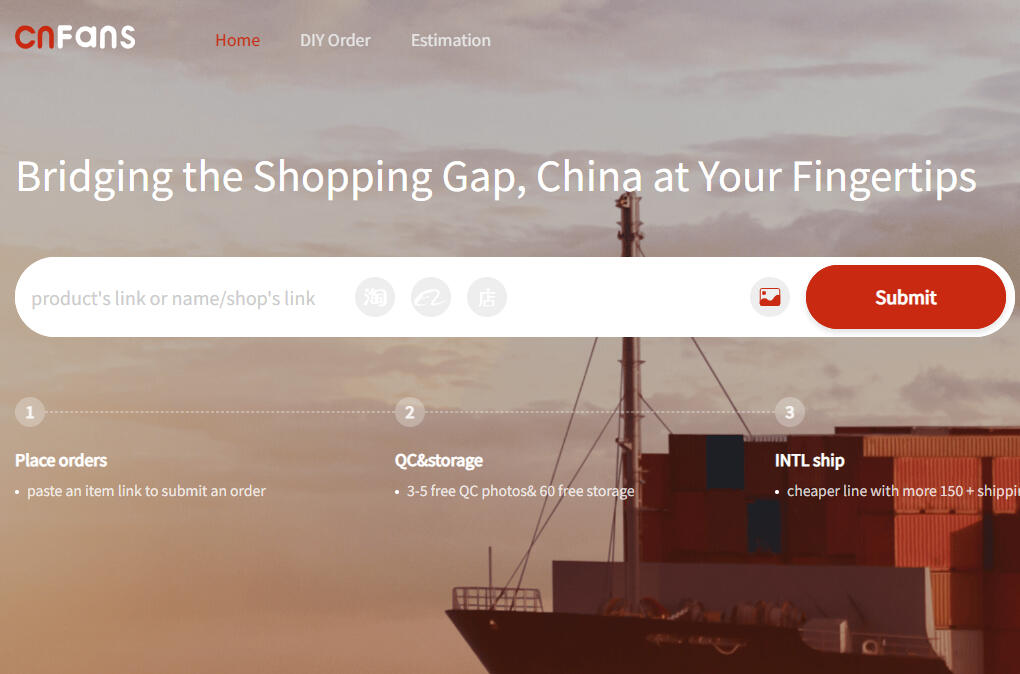
Once you have the link to the item you wish to purchase, simply copy it and paste it into the search bar on the CNFans website. Alternatively, you can use the reverse image search feature by uploading a photo of the item to find similar products. This method proves useful when you can't locate an item through regular searching.
3.Understanding Product Details
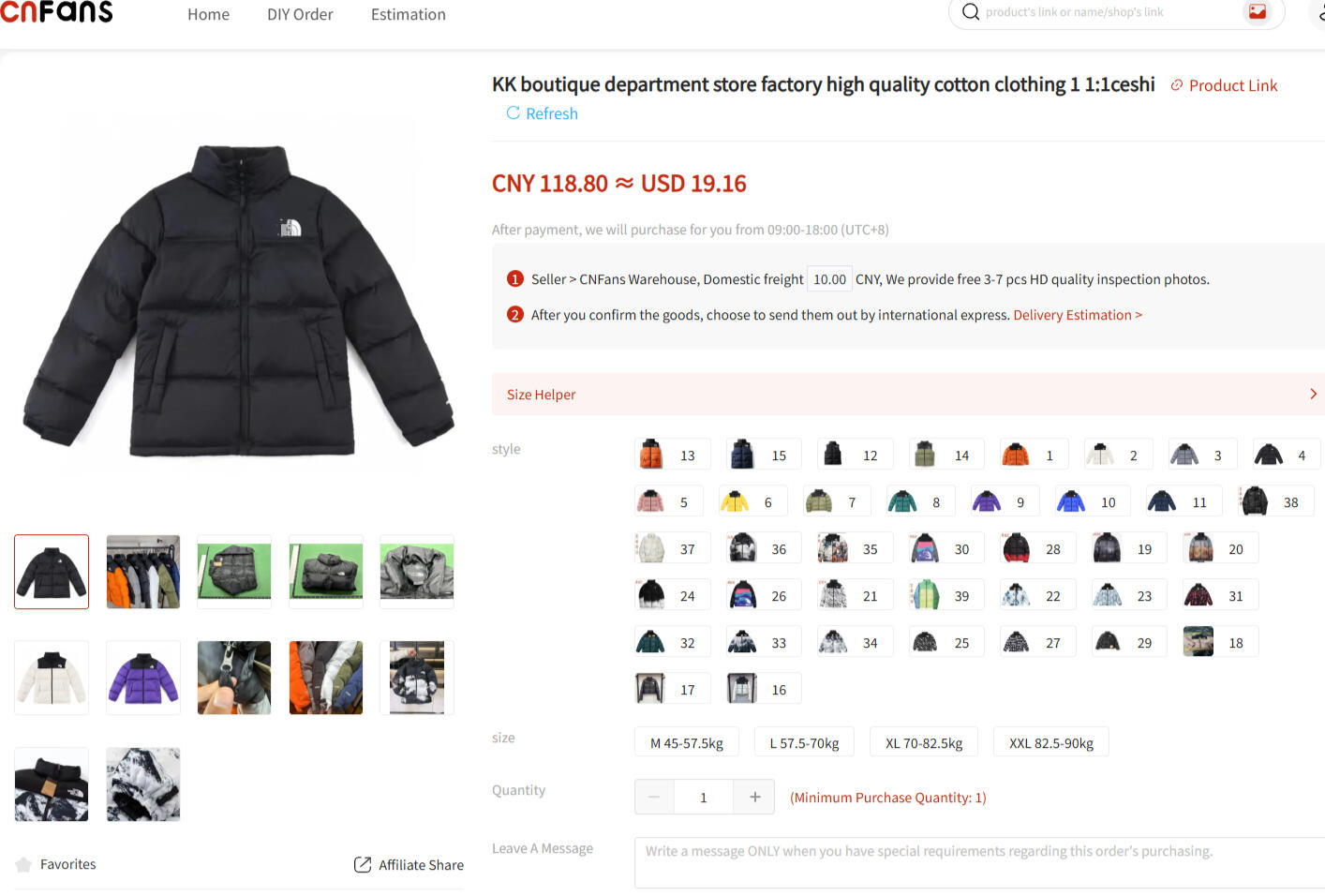
Upon reaching the item page on CNFans, you'll be greeted with a plethora of choices and information. Take a moment to familiarize yourself with the various options, including color, size, and version. When selecting the size, make sure to follow the provided instructions or leave a note specifying your preferred size. Some items may have a limited range of sizes, so choose carefully based on the available measurements or size charts.
4. Deciphering Versions and Batches
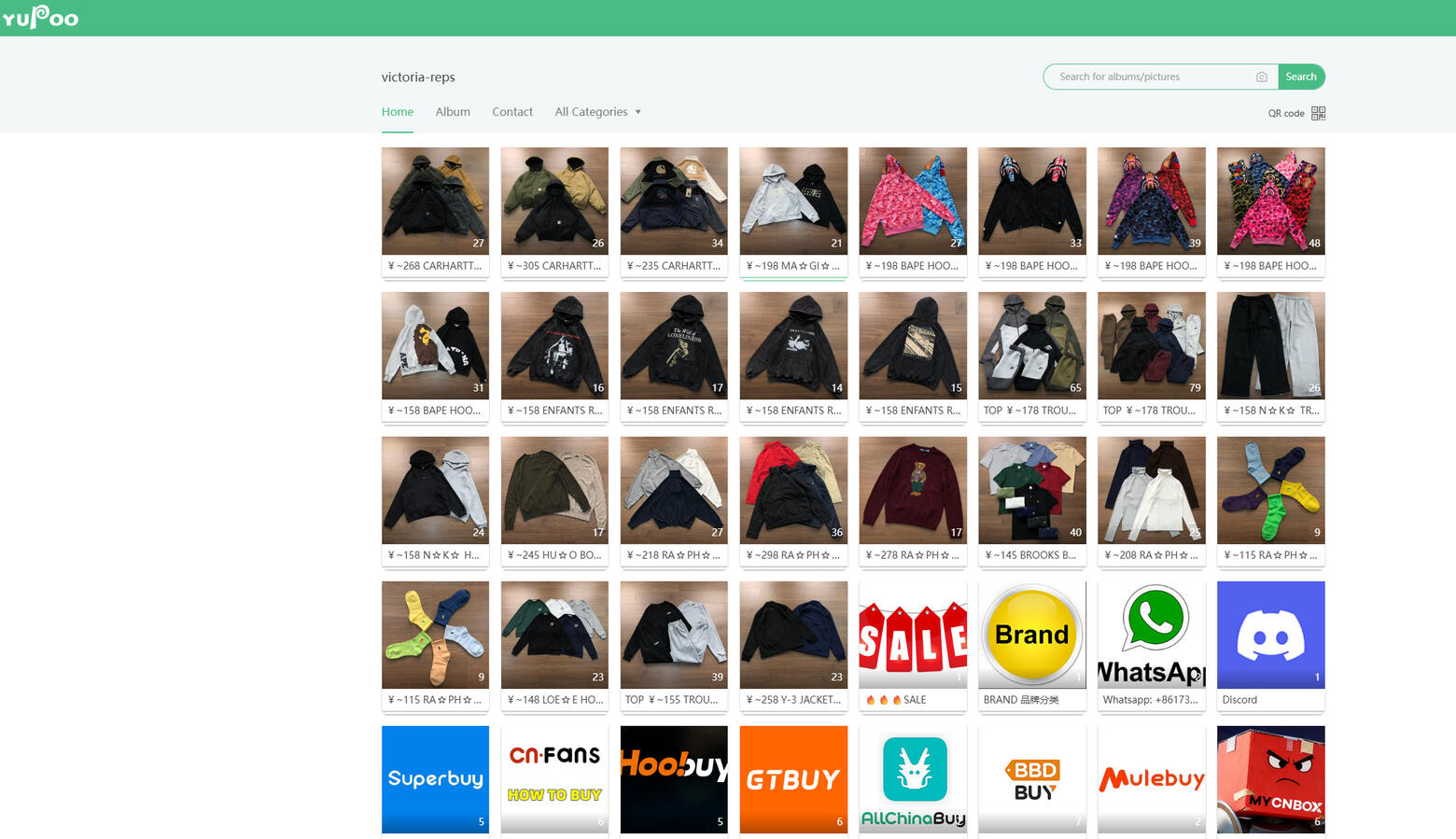
Items may come in different versions or batches, each with its own quality and features. To determine the best version for your desired item, visit platforms like Yupoo, where you can find cataloged images and detailed comparisons. These comparisons will help you make an informed decision regarding the version to choose.
5.Viewing QC Item Photos
To inspect actual photos of the product instead of stock images, you can use the qc.photos website. Simply paste the original product link and gain access to a comprehensive collection of photos. This feature allows you to scrutinize the item from various angles and even view additional photos that users have paid for.
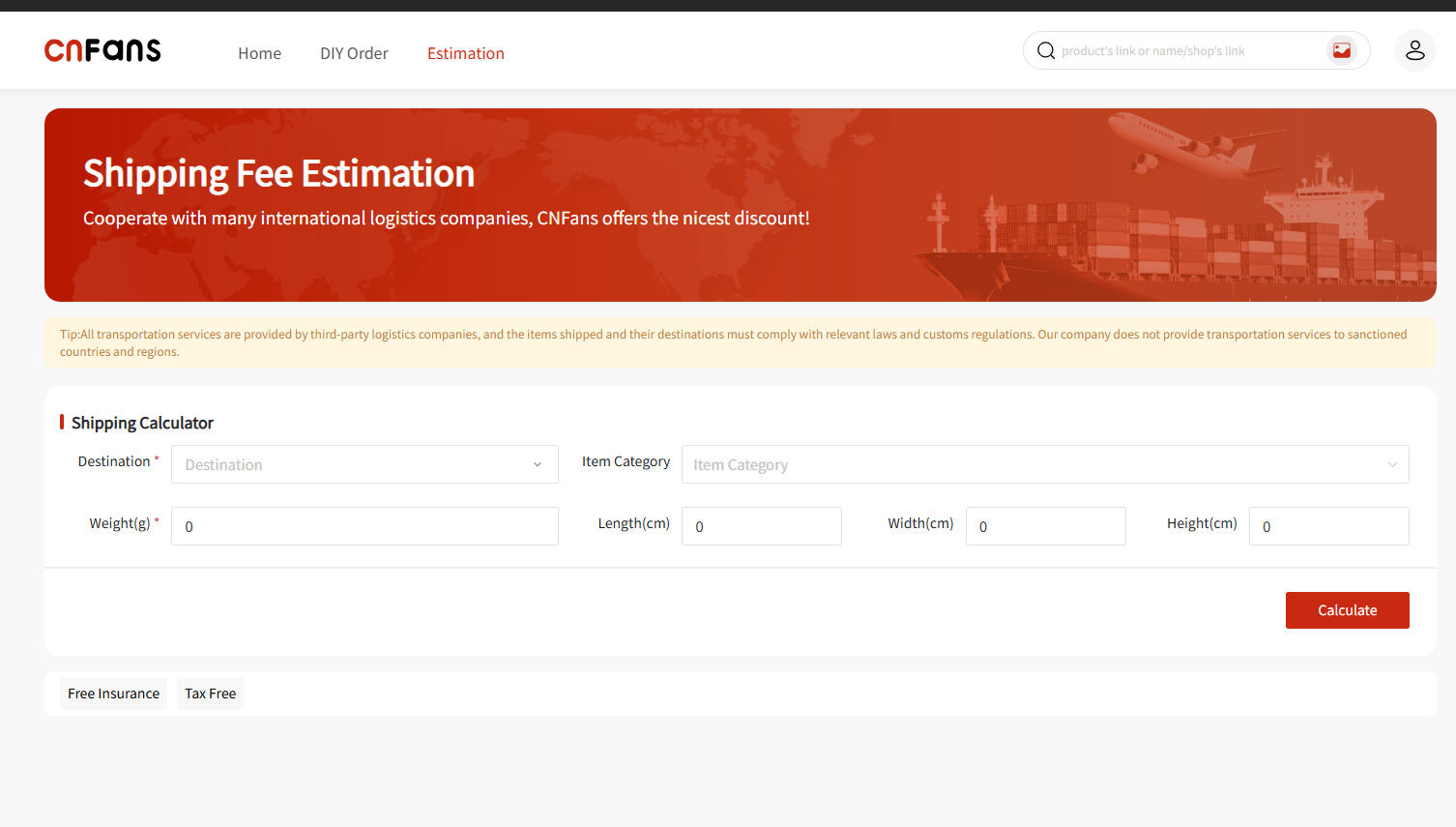
6. Calculating Costs
CNFans provides a useful tool called the estimator, accessible by adding an item to your cart and clicking on it. This tool offers information regarding weight, size, and shipping costs. By selecting the appropriate shipping line and adjusting options like removing shoeboxes to reduce volume, you can estimate the total cost of your purchase accurately.
7.Placing an Order
Once you have finalized your selections and reviewed the costs, proceed to add the items to your cart. During the checkout process, fill in the necessary details, agree to the terms and conditions, and complete the payment. If PayPal is unavailable, you can top up your balance and pay using the balance amount.
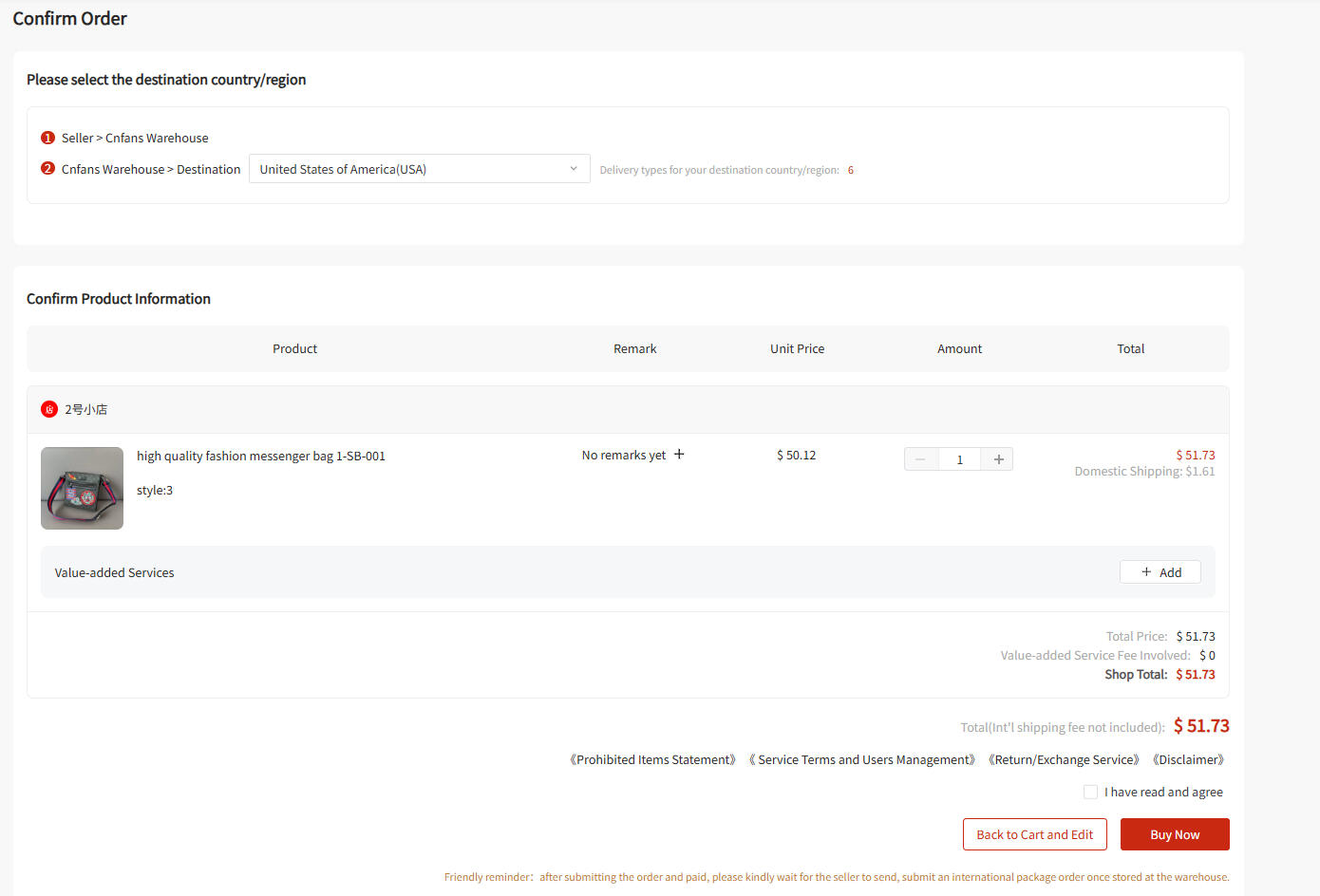
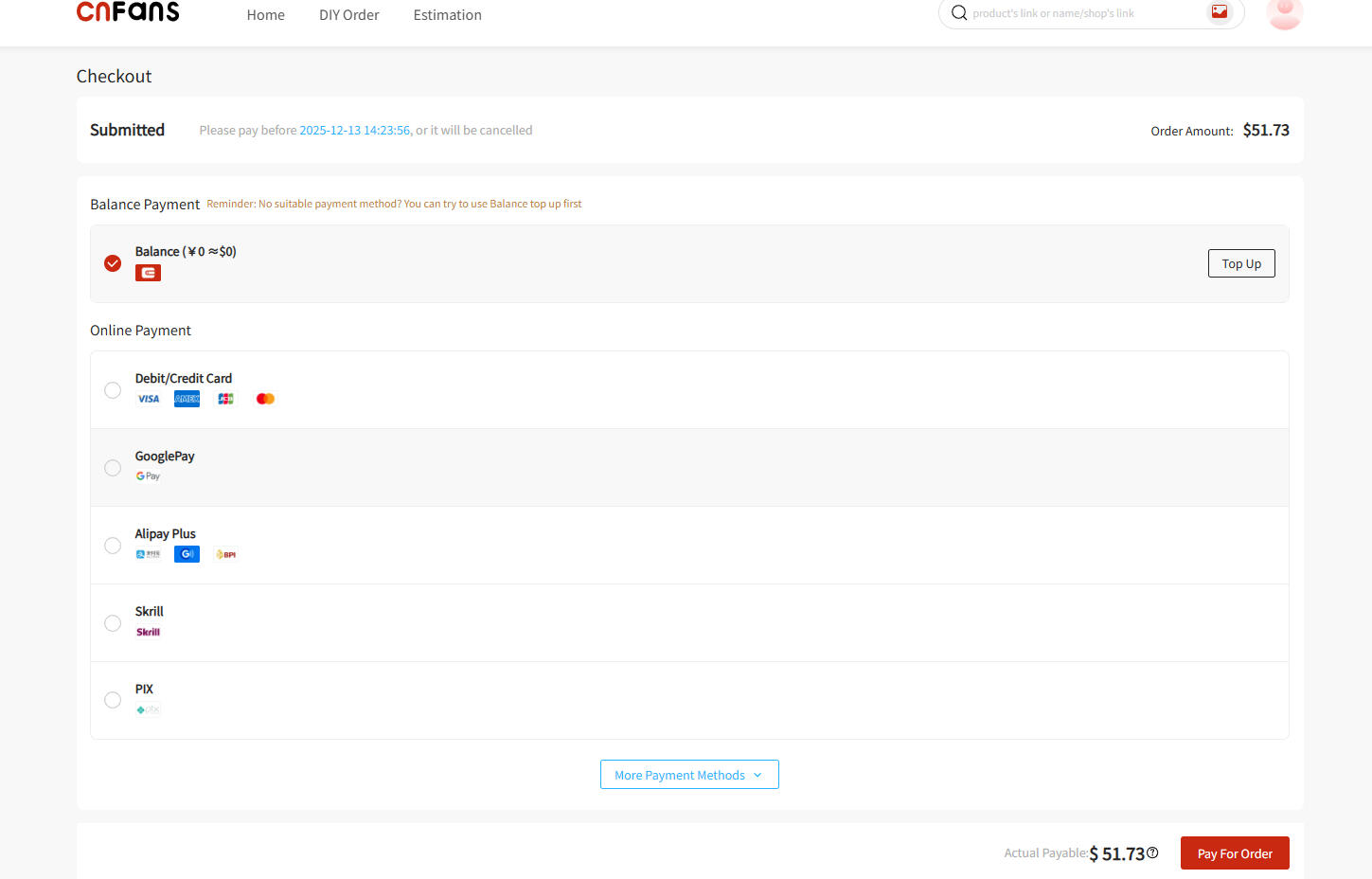
8. Order Processing and Shipping
After placing your order, it will go through several stages. The status will change from "Process Pending" to "Purchased" once an agent is assigned and the item is purchased from the seller. Subsequently, it will change to "Seller Sent" when the seller dispatches the item to the warehouse. At this point, you'll receive an Express Tracking section to monitor the shipping progress within China. Eventually, the status will change to "Warehouse Received" when the warehouse acknowledges the arrival of your item.
9.Quality Check and Shipping Selection
Once your item reaches the warehouse, it enters the quality check phase. You'll receive QC photos for inspection. After verifying the item's condition, you can proceed with the shipment. The shipping options will be displayed, allowing you to choose the one that best suits your needs. Keep in mind that faster shipping methods may incur higher costs.
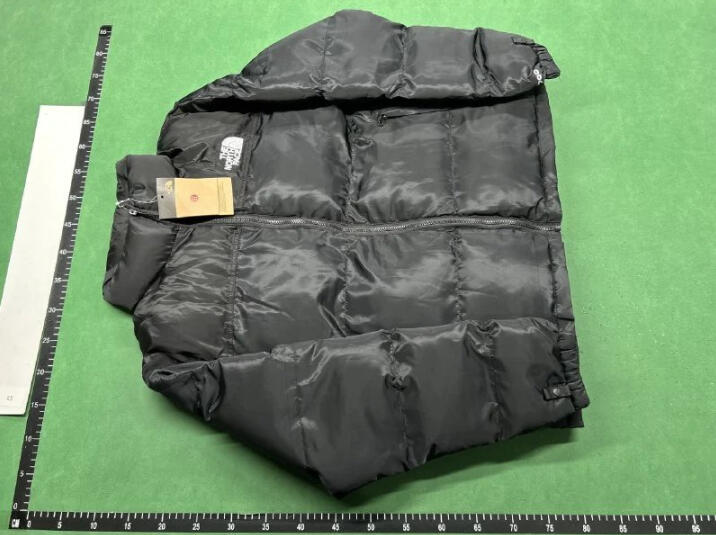

10. Finalizing the Shipment
When you're satisfied with the QC photos and shipping options, confirm the shipment. Your item will be prepared, packaged, and sent to the designated shipping address. You'll receive a tracking number that allows you to monitor the progress of your package until it arrives at your doorstep.
By following this comprehensive guide, you'll be well-equipped to navigate the process of buying items from CNFans. Remember to join relevant communities, utilize the available tools, and make informed decisions when selecting products and shipping methods. Happy shopping!
© cnfansfile.com. All rights reserved.
Disclaimer: cnfansfile.com is an independent community site and is not affiliated with Weidian, Taobao, 1688, Tmall, or any other shopping platform. Some links to shopping agents (including Pandabuy, Wegobuy, Superbuy, Hagobuy, Sugargoo, CSSBuy, and CNFans) may be affiliate links. We do not earn a commission on product sales — only on services provided by these agents as freight forwarders. All information is provided "as is," without warranties of accuracy, performance, or fitness for a particular purpose. CNFans.gg makes no representations regarding third-party trademarks, copyrights, or intellectual property rights.